
Energy tracking
Make room for what recharges you.
Mark tasks as draining or recharging and review your energy balance. Tether helps you plan around patterns you notice in your own day.
Download on the App StoreDaily task energy is part of core planning. Detailed weekly and monthly insights require Plus or Pro.
Compare Free, Plus, and Pro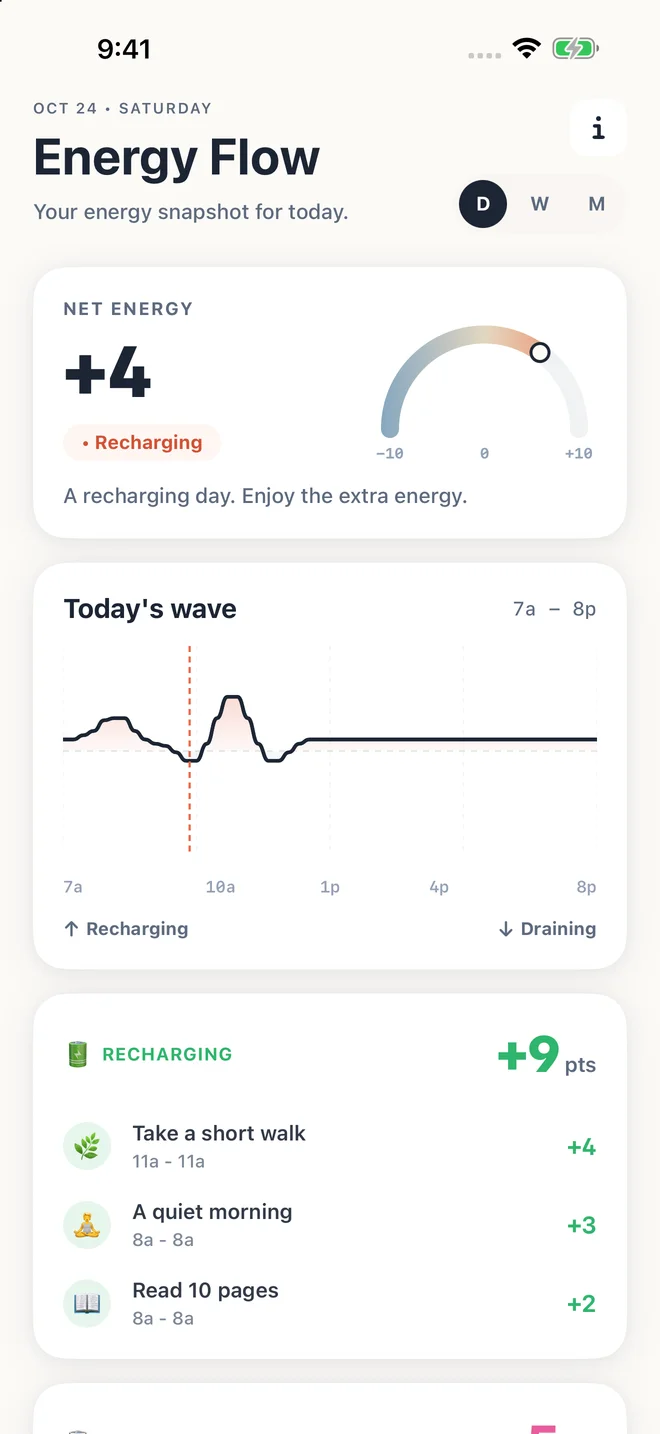
A small example
If calls tend to drain you, mark them that way. If a walk usually helps you recharge, include it in the plan and see how the day balances out.
Time is only part of the plan
Two activities can take the same amount of time and feel very different. Give tasks an energy level based on your own experience to make those differences visible in your daily plan.
Look for your own patterns
Energy Flow summarizes the levels attached to your tasks. Weekly and monthly views can help you reflect on patterns, such as days packed with draining work or days that include more recharging activities.
Use a reflection tool, not a health score
These are self-rated planning indicators. Tether does not measure your body’s energy, diagnose fatigue, or predict burnout. Use the information to adjust a plan, not to judge whether you had a good day.
Try it in three small steps
- Give a task an energy level that fits your experience.
- Include a recharging activity you actually want to do.
- Review the balance and adjust future plans as you learn.
A few things you might be wondering
Does energy tracking use Apple Health or wearable data?
No. Tether’s energy view is based on the energy levels assigned to your planned tasks, rather than a medical or biometric measurement.
Will Tether automatically know when I work best?
AI scheduling suggestions can use the energy rhythm you choose in Settings. Tether does not claim to learn or medically measure your ideal work times automatically.