
Voice capture
Say it while it is on your mind.
Speak a task, review the title and suggested time, then add it to your plan. Tether voice capture helps you get a thought out of your head.
Download on the App StoreOngoing AI voice parsing requires Tether Pro. Microphone and speech-recognition permissions are needed.
Compare Free, Plus, and Pro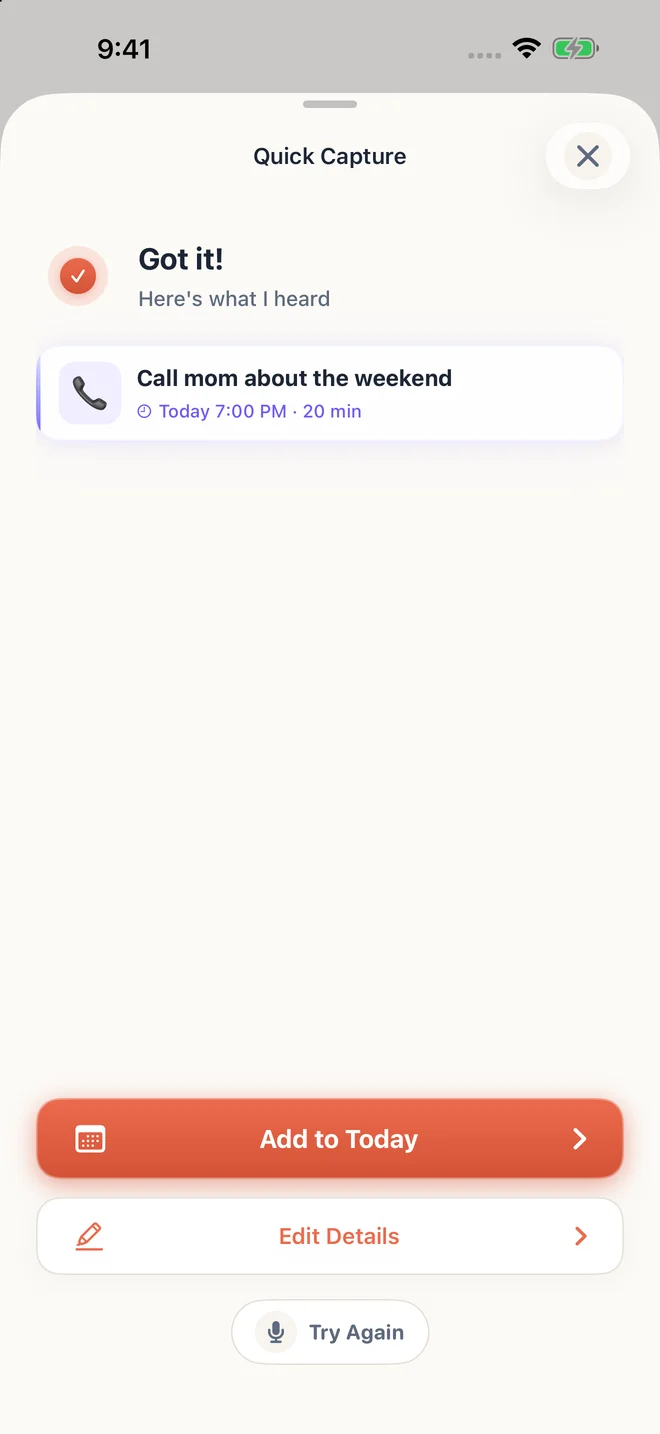
A small example
Say “Call mom about the weekend, tonight at seven for twenty minutes.” Check the title, date, and duration in the preview before adding it.
Capture the thought in your own words
Use the microphone to describe what you want to do. Include a time or duration if you know it. Apple speech recognition creates a transcript, and Tether’s AI helps turn that transcript into a task draft.
Check the date before it becomes a plan
The preview lets you review the title, day, time, and duration. You can edit the details or try again. Speech recognition and AI can misunderstand words, so the preview is an important part of capture.
Choose when to use voice
Recording starts through the capture interaction and requires your device permissions. You can still add tasks by typing. AI processing uses the transcript and relevant scheduling context, as explained in the privacy policy.
Try it in three small steps
- Allow microphone and speech recognition access when requested.
- Record the task you want to capture.
- Review or edit the preview, then add the task.
A few things you might be wondering
Is all voice processing on my device?
No. Apple’s speech-recognition processing depends on device and language availability. Tether sends the transcript and relevant scheduling context through Firebase to Google Gemini for AI parsing.
What if the app puts the task on the wrong day?
Review the capture preview before saving. Use Edit Details to correct the day or time, or try the recording again with an explicit date.